Four areas of organised information handling
Each capability listed below represents a distinct part of the Sildenford interface. The descriptions reflect what the system currently provides. Where a capability relies on processes that have not been independently verified, that is noted within the description.
Record Classification and Indexing
Sildenford organises the information it holds into a structured index of clearly labelled categories. Each category reflects a distinct type of record, and every record is assigned to a category when it enters the system. This classification makes it possible to retrieve specific items without reviewing the entire information set.
The index is maintained consistently across updates to the underlying information. When the content of a category changes, the index reflects those changes in the relevant section of the interface.
Information Review Interface
The review interface within Sildenford allows users to examine records within their accessible categories. Records are presented in a consistent layout that includes the core content of the record, any associated metadata, and an indication of when the record was last updated.
Users can navigate between records within a category, move between categories, and return to a summary view without losing their position within the interface. The review interface does not require any technical configuration to use.
Guided Interaction and Contextual Guidance
For sections of the system that involve unfamiliar terminology or concepts, Sildenford provides contextual guidance within the interface. This guidance is presented alongside the relevant information rather than in a separate help section, reducing the need to navigate away from the record being reviewed.
Contextual guidance is descriptive rather than prescriptive. It explains what is being shown without directing the user towards a particular conclusion or course of action.
Enquiry and Access Management
Access to Sildenford is managed through a structured enquiry process. Users submit a request through the enquiry form, specifying the nature of the access they are seeking. The support team reviews each request and responds with confirmation, a request for further information, or a reasoned explanation of any limitation that applies.
Existing access can be extended or modified by submitting a new enquiry. Changes to access levels are reflected within the interface once the updated access has been confirmed by the support team.
An AI-enabled approach to information organisation
Sildenford uses AI-assisted processes to support consistent classification of the information it holds. This means that the system applies structured rules to incoming records and places them in the appropriate category without requiring manual assignment for every item.
The AI-assisted classification is designed to improve the consistency of how information is organised. It is not presented as a verification mechanism or as a substitute for the user's own review of the material.
Where the system applies an automated process to a record, this is noted in the relevant section of the interface so that users are aware of how the classification decision was made.
Sildenford does not use AI processes to generate predictions, assess risk, or produce outputs that would require the user to rely on the system's judgement rather than their own review of the underlying information.
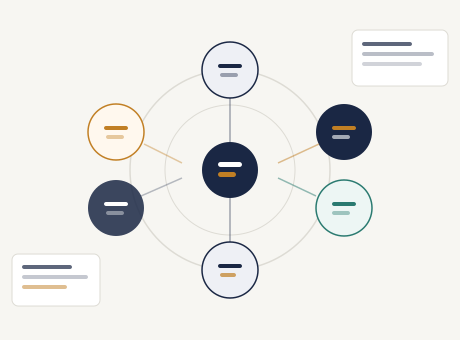
How the access process works
Accessing Sildenford follows a clear sequence. Each stage is managed by the support team and communicated to the applicant before the next stage begins.
Submit an enquiry
Use the enquiry form to describe the type of access you are looking for and provide your contact details. The form accepts free-text descriptions as well as a pre-defined request type to help direct your query appropriately.
Initial review
The support team reviews each enquiry on receipt. If the request is clear and falls within the scope of what the system provides, you will receive a response confirming the next steps. If clarification is needed, the team will contact you before proceeding.
Access confirmed
Once your enquiry has been reviewed and the appropriate access level determined, you will receive confirmation of your access. This confirmation includes a description of which sections of the system are accessible and any conditions that apply to that access.
Use the system
With access confirmed, you can begin using the Sildenford interface. If questions arise during use, the support team remains available via the enquiry form or by email. Access levels can be reviewed or extended by submitting a further enquiry at any time.
Curious about what access to Sildenford involves?
The enquiry form is the best starting point. Describe what you are looking for and the support team will explain what the system can provide and what the access process entails.